> ## Documentation Index
> Fetch the complete documentation index at: https://magicads.mintlify.site/llms.txt
> Use this file to discover all available pages before exploring further.
# Sitemap Setup
> Improve your SEO capabilities with generating sitemap for entire script.
## Create Sitemap for Davinci AI
Sitemaps offer numerous benefits, primarily improving search engine optimization (SEO) and user experience by making it easier for search engines to crawl and index your website, and for users to navigate it. Essentially, they act as a roadmap for both search engines and users, ensuring that important pages are discovered and that the site structure is clear.
To generate sitemap follow the steps below:
Go to **Admin Panel** -> **General Settings** -> **System Settings** page.
On the **Sitemap** box, click on the **Generate Sitemap** button.
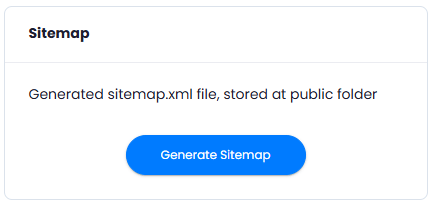 And that is it, it is that easy. Newly generated sitemap file will be available under **/public** folder in the root directory of your domain with the name **sitemap.xml**
Sitemap file must remain in the public folder, that is from where all search engines can access it
You have successfully configured the Sitemap for Davinci AI
And that is it, it is that easy. Newly generated sitemap file will be available under **/public** folder in the root directory of your domain with the name **sitemap.xml**
Sitemap file must remain in the public folder, that is from where all search engines can access it
You have successfully configured the Sitemap for Davinci AI