> ## Documentation Index
> Fetch the complete documentation index at: https://magicads.mintlify.site/llms.txt
> Use this file to discover all available pages before exploring further.
# Maintenance Mode
> Let your users know that you are in the process of improving the script for them at the frontend page with Maintenance Mode Extension.
This is a free extension available for anyone
## Extension Configuration
To be able to use Maintenance Mode feature, follow these steps to setup Maintenance Mode Extension.
Go to the **Marketplace** in **Admin Panel** and install **Maintenance Mode** extension.
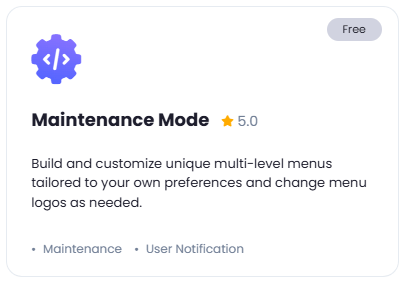 After installation is completed, go to **AI Settings** page in Admin Panel and click on **Extensions** tab there. Click on **Maintenance Mode** there.
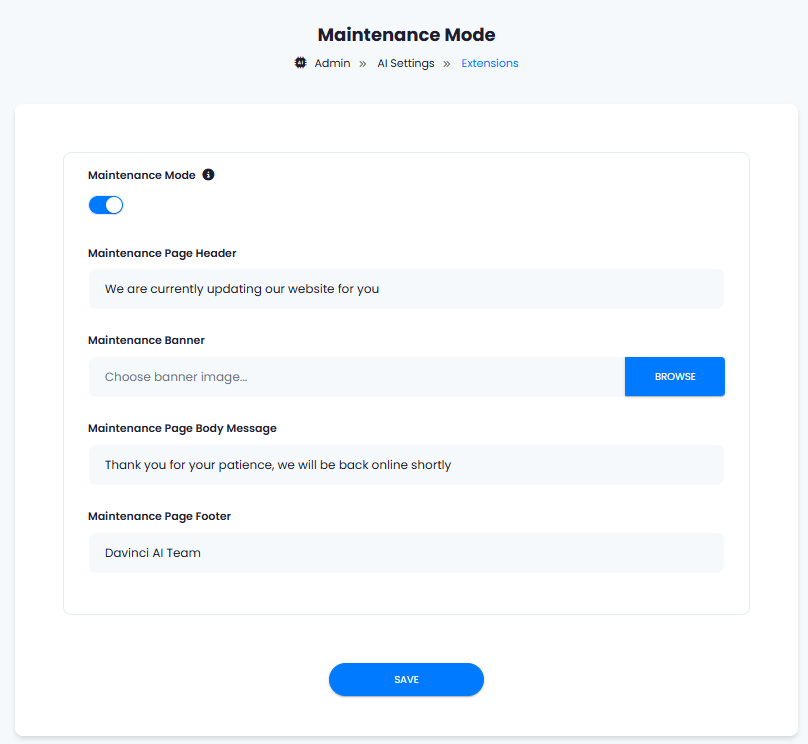
 Configuration of Maintenance Mode is done on this page, there will be no new menu item added in the Admin Panel. Below is the explanation of each field on Maintenance Mode page.
* To enable **Maintenance Mode**, turn on this checkboxes
* **Maintenance Page Header** allows you to include main title of the message in large bold text
* **Maintenance Banner** allows you to upload a user friendly banner as you prefer
* **Maintenance Page Body Message** allows you write a short user friendly paragraph if needed which will be under the main page Header
* **Maintenance Page Footer**, optional page footer details
Configuration of Maintenance Mode is done on this page, there will be no new menu item added in the Admin Panel. Below is the explanation of each field on Maintenance Mode page.
* To enable **Maintenance Mode**, turn on this checkboxes
* **Maintenance Page Header** allows you to include main title of the message in large bold text
* **Maintenance Banner** allows you to upload a user friendly banner as you prefer
* **Maintenance Page Body Message** allows you write a short user friendly paragraph if needed which will be under the main page Header
* **Maintenance Page Footer**, optional page footer details
 You now have completed the Maintenance Mode extension configuration.
You have successfully comleted the setup process of this extension.
You now have completed the Maintenance Mode extension configuration.
You have successfully comleted the setup process of this extension.