> ## Documentation Index
> Fetch the complete documentation index at: https://magicads.mintlify.site/llms.txt
> Use this file to discover all available pages before exploring further.
# AI Plagiarism & AI Detector
> Davinci AI Plagiarism & AI Detector extension, powered by the Plagiarismcheck.org API, allows users to scan documents for plagiarism, ensuring content originality and integrity.
This is a **Paid** extension that you need to first purchase via **Marketplace**
## Introduction
The AI Plagiarism & AI Detector extension integrated into Davinci AI provides users with a convenient way to ensure the originality of their content. By leveraging the Plagiarismcheck.org API, Davinci AI enables users to scan their documents and detect any instances of plagiarism, helping them maintain integrity and authenticity in their work.
## Connect PlagiarismCheck Account
To be able to use your AI Plagiarism & AI Detector, follow these steps to setup this extension.
Go to the **Marketplace** in **Admin Panel** and install **AI Plagiarism & AI Detector** extension after your successful purchase of the extension.
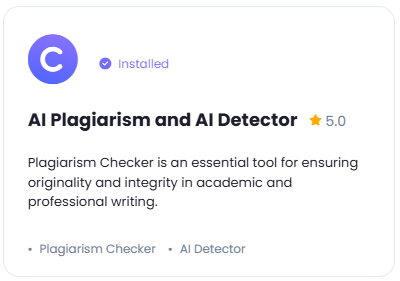 After installation is completed, go to **AI Settings** page in Admin Panel and click on **Extensions** tab there. Click on **AI Plagiarism & AI Detector** there.
 Next you need to get your Plagiarism Check API key.
1. Go to Plagiarmcheck.org website, and sign up with them.
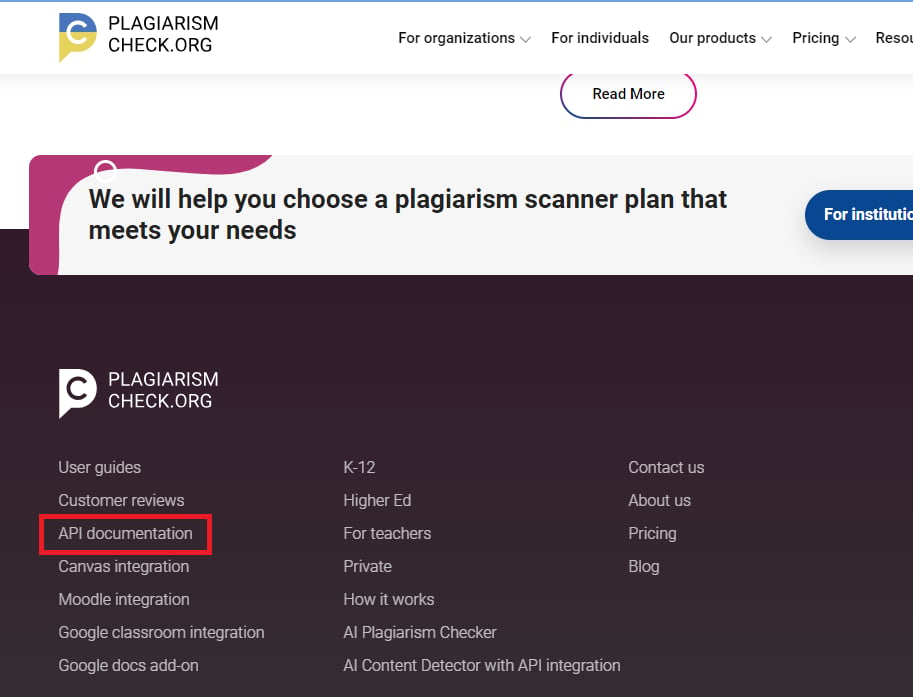
2. After registration at the home page scroll to the footer and click on **API Documentation** link
Next you need to get your Plagiarism Check API key.
1. Go to Plagiarmcheck.org website, and sign up with them.
2. After registration at the home page scroll to the footer and click on **API Documentation** link
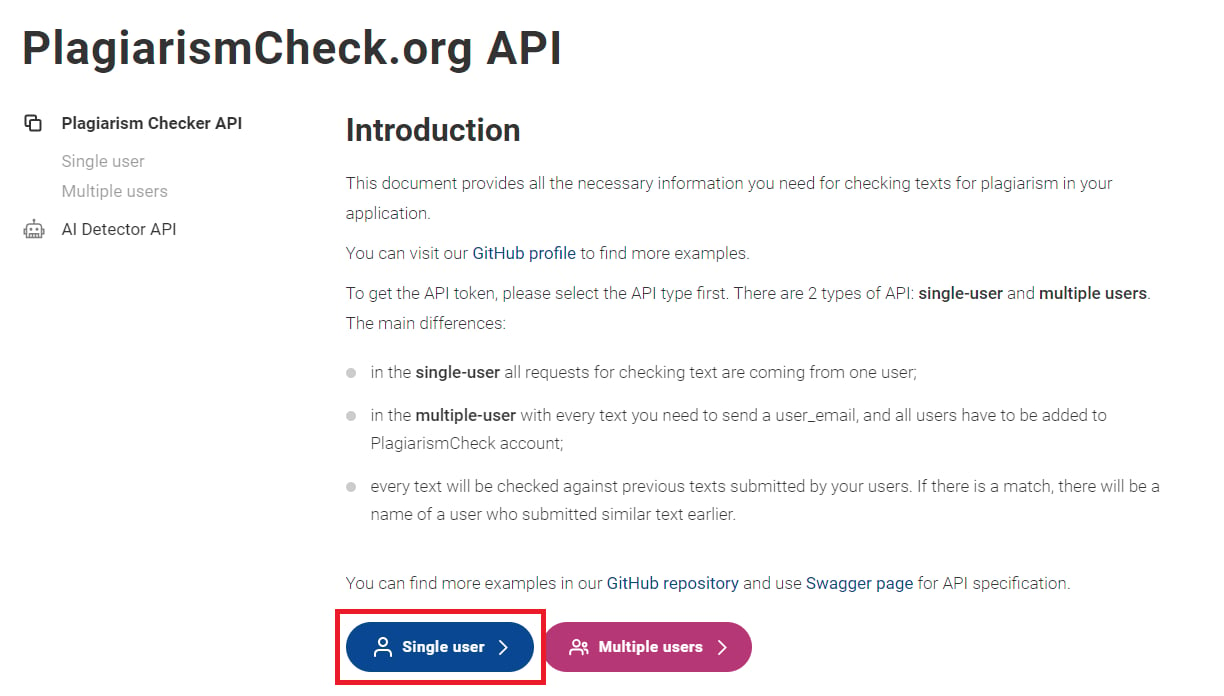
 3. Afterwards select **Single User** mode
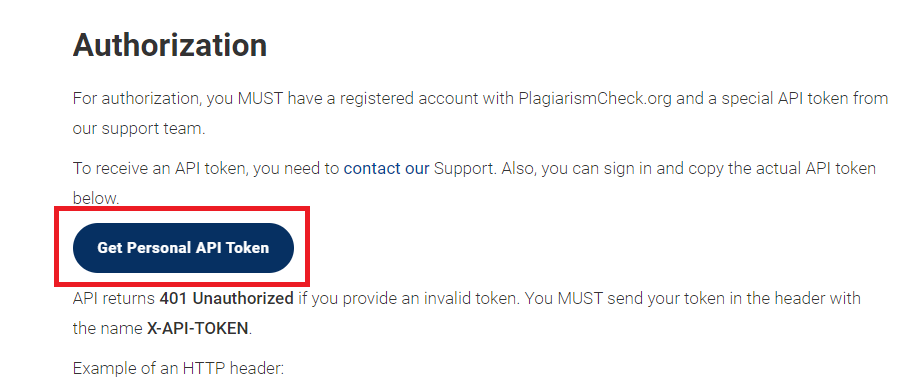
 4. Next, click on the **Get API Token** button, it will show a small popup panel with your **API key**, copy it
 All make sure to add some funds in your PlagiarismCheck account as they don't offer any free credits
Store your API key securely and never share it publicly. The key provides direct access to your account.
To control the settings of **AI Plagiarism & AI Detector** exension, return to **AI Settings** page in Admin Panel and click on the **Extensions** tab, and select **AI Plagiarism & AI Detector** extension.
1. Enter your **Plagiarism Check API Token** in the input field.
2. Turn on the checkboxes for **AI Plagiarism Checker Feature** and **AI Plagiarism Checker Free Tier Access**
If you don't turn on AI Plagiarism Checker Tier Access, then users who did not subscribe to any subscription plan where you have AI Plagiarism Checker feature enabled, will not have any access to this feature
3. Turn on the checkboxes for **AI Content Detector Feature** and **AI Content Detector Free Tier Access**
If you don't turn on AI Content Detector Tier Access, then users who did not subscribe to any subscription plan where you have AI Content Detector feature enabled, will not have any access to this feature
4. After you are done with configuration, click the **Save** button.
All make sure to add some funds in your PlagiarismCheck account as they don't offer any free credits
Store your API key securely and never share it publicly. The key provides direct access to your account.
To control the settings of **AI Plagiarism & AI Detector** exension, return to **AI Settings** page in Admin Panel and click on the **Extensions** tab, and select **AI Plagiarism & AI Detector** extension.
1. Enter your **Plagiarism Check API Token** in the input field.
2. Turn on the checkboxes for **AI Plagiarism Checker Feature** and **AI Plagiarism Checker Free Tier Access**
If you don't turn on AI Plagiarism Checker Tier Access, then users who did not subscribe to any subscription plan where you have AI Plagiarism Checker feature enabled, will not have any access to this feature
3. Turn on the checkboxes for **AI Content Detector Feature** and **AI Content Detector Free Tier Access**
If you don't turn on AI Content Detector Tier Access, then users who did not subscribe to any subscription plan where you have AI Content Detector feature enabled, will not have any access to this feature
4. After you are done with configuration, click the **Save** button.
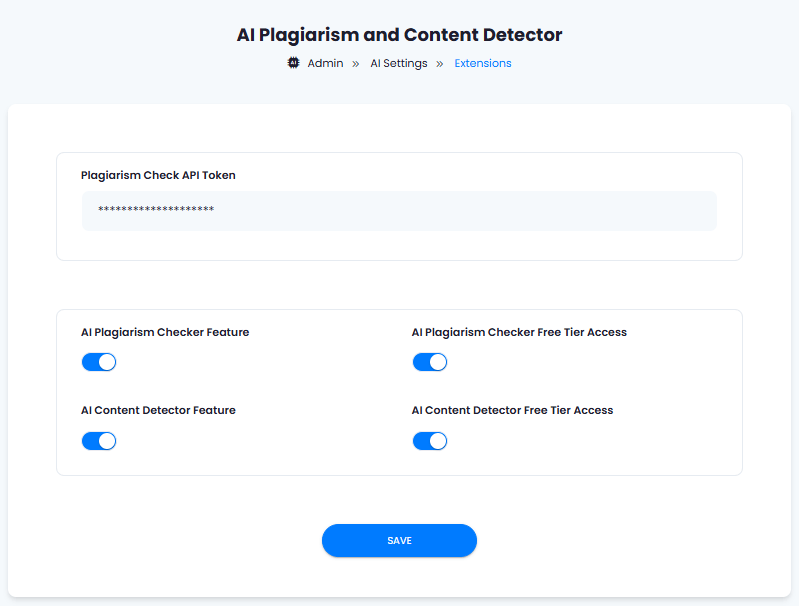 You know have completed the AI Plagiarism & AI Detector extension configuration.
You have successfully comleted the setup process of this extension.
You know have completed the AI Plagiarism & AI Detector extension configuration.
You have successfully comleted the setup process of this extension.